
Applies to: domains registered through Webtech
We'd hate to see you go — but your domain is yours, and moving it to another provider is your right. This guide covers the two things a transfer-away usually needs: unlocking the domain, and (for some extensions) a transfer authorisation code, also called an EPP code or auth code.
Step 1: Disable the registrar lock
The registrar lock protects your domain against unauthorised transfers. Before transferring out, switch it off:
- Log into your client area at https://my.webtech.co.za.
- Go to Domains > My Domains and click the row of the domain.
- In the left sidebar, click Registrar Lock.
- Click Disable Registrar Lock. The status changes from Enabled to Disabled.
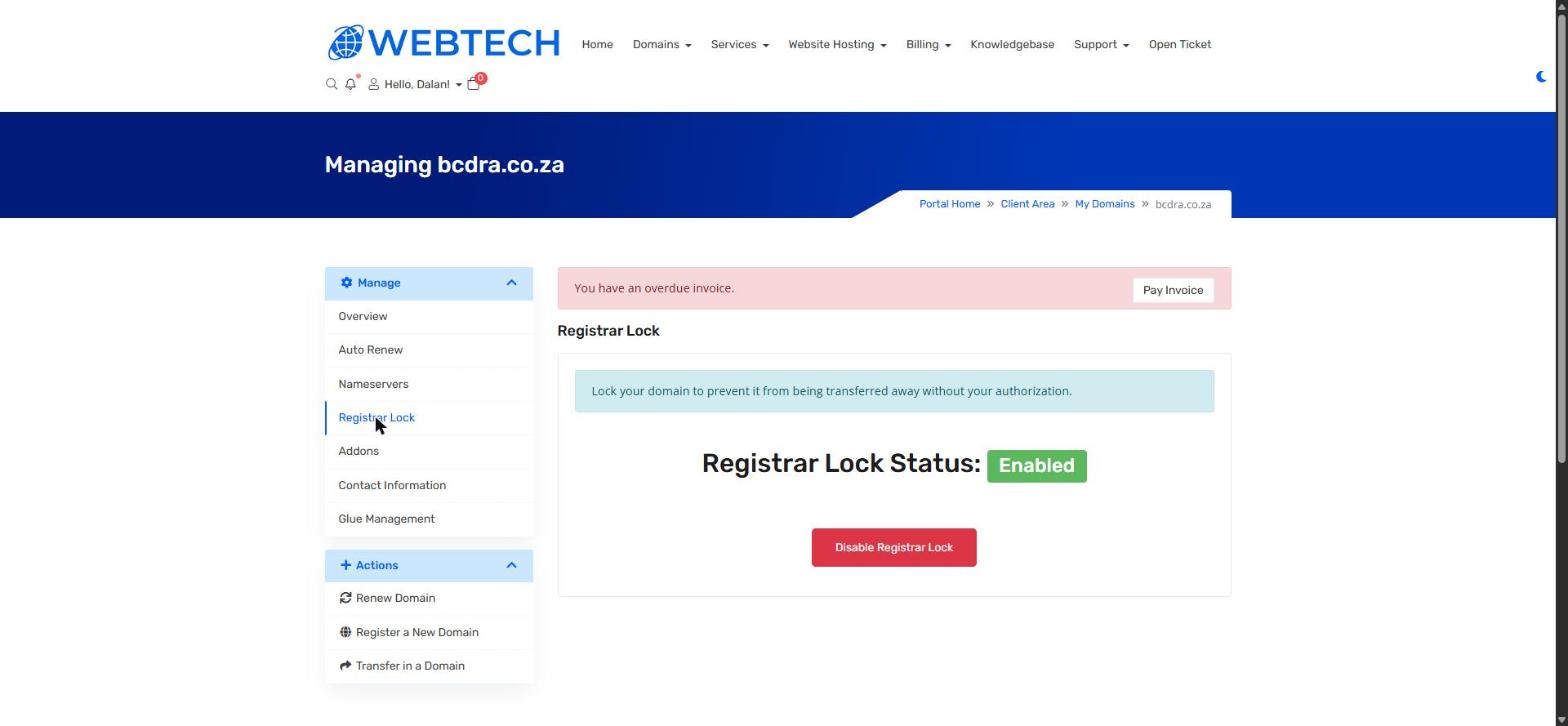
Leave the lock enabled at all times unless you are actively transferring the domain — it's an important protection against domain hijacking.
Step 2: Get your transfer (EPP) code — if needed
What happens next depends on your domain's extension:
.co.za and other ZA domains — no EPP code is needed. You start the transfer at the new provider, and the registry emails the domain's registered contact to approve the move. Make sure your WHOIS contact email address is current before you start (see How to update your domain WHOIS contact details), or the approval email will go astray. ZA transfers are usually completed within a day of approval.
.com, .net, .org and most international domains — an EPP/auth code is required. Open a support ticket from your account asking for the transfer code for your domain, and we'll send it to you securely. You then supply that code to your new provider when starting the transfer. International transfers typically take 5–7 days, and the domain must be more than 60 days old and not renewed/transferred within the last 60 days.
Important to know
Transferring a domain moves its registration — it does not move your website files, databases or mailboxes. If you're also changing hosts, plan the hosting migration separately, and only cancel hosting once everything is confirmed working at the new provider.
Also check for unpaid renewal invoices before transferring: a domain that expires mid-transfer can cause the transfer to fail.
Related articles
How to update your domain WHOIS contact details • How to transfer your domain to Webtech