
Applies to: Linux and WordPress hosting customers
SSL is what gives your site the padlock and https://. On our Linux hosting, certificates come from Let's Encrypt — free, trusted by all browsers, and renewed automatically. Most customers never need to touch this page, but here's how it works and how to fix things if the padlock ever goes missing.
Checking your current certificate
- Log into Virtualmin (see How to log into Virtualmin).
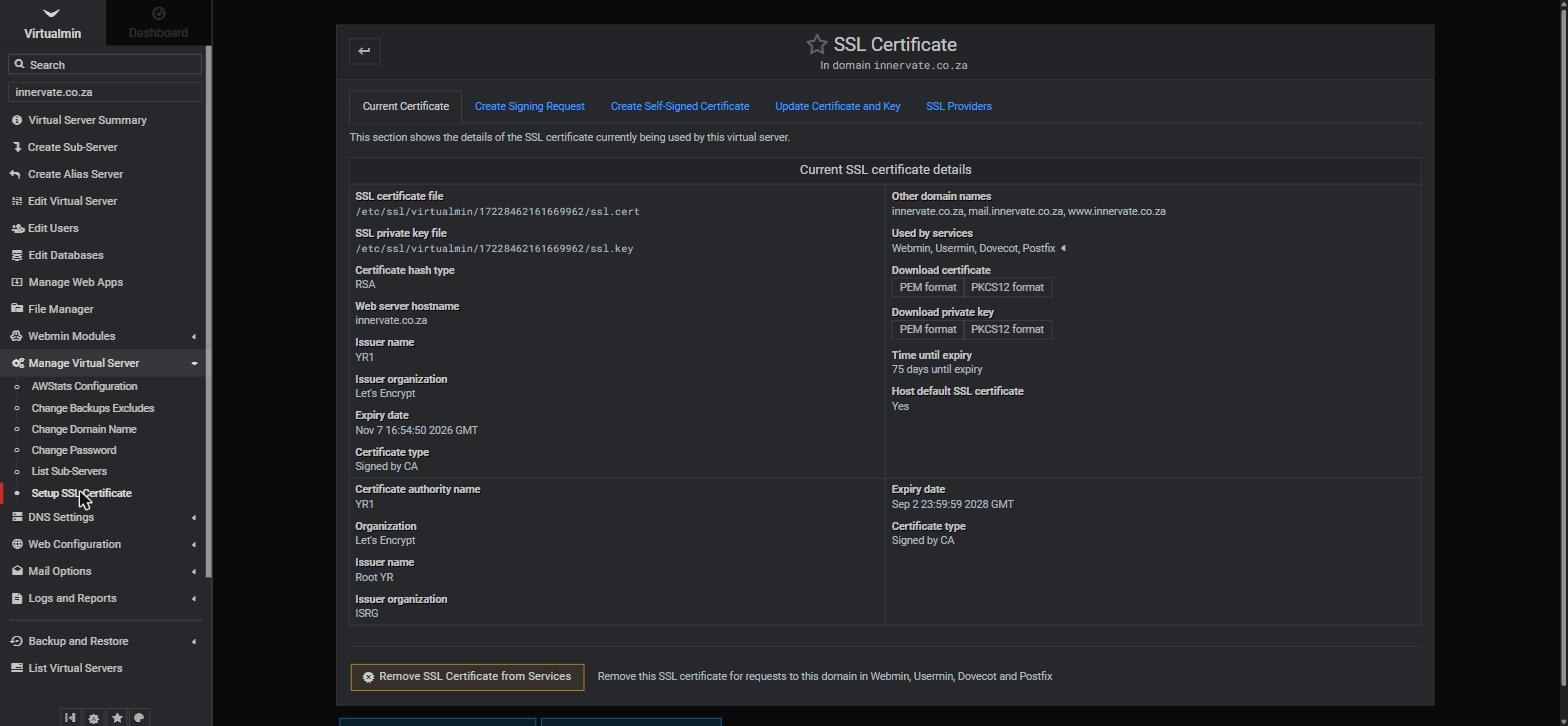
- Go to Manage Virtual Server > Setup SSL Certificate.
- The Current Certificate tab shows the issuer (Let's Encrypt), the expiry date, the domains covered (typically yourdomain.co.za, www, mail and webmail), and which services use it — your website plus your mail connections.
Requesting or renewing a certificate
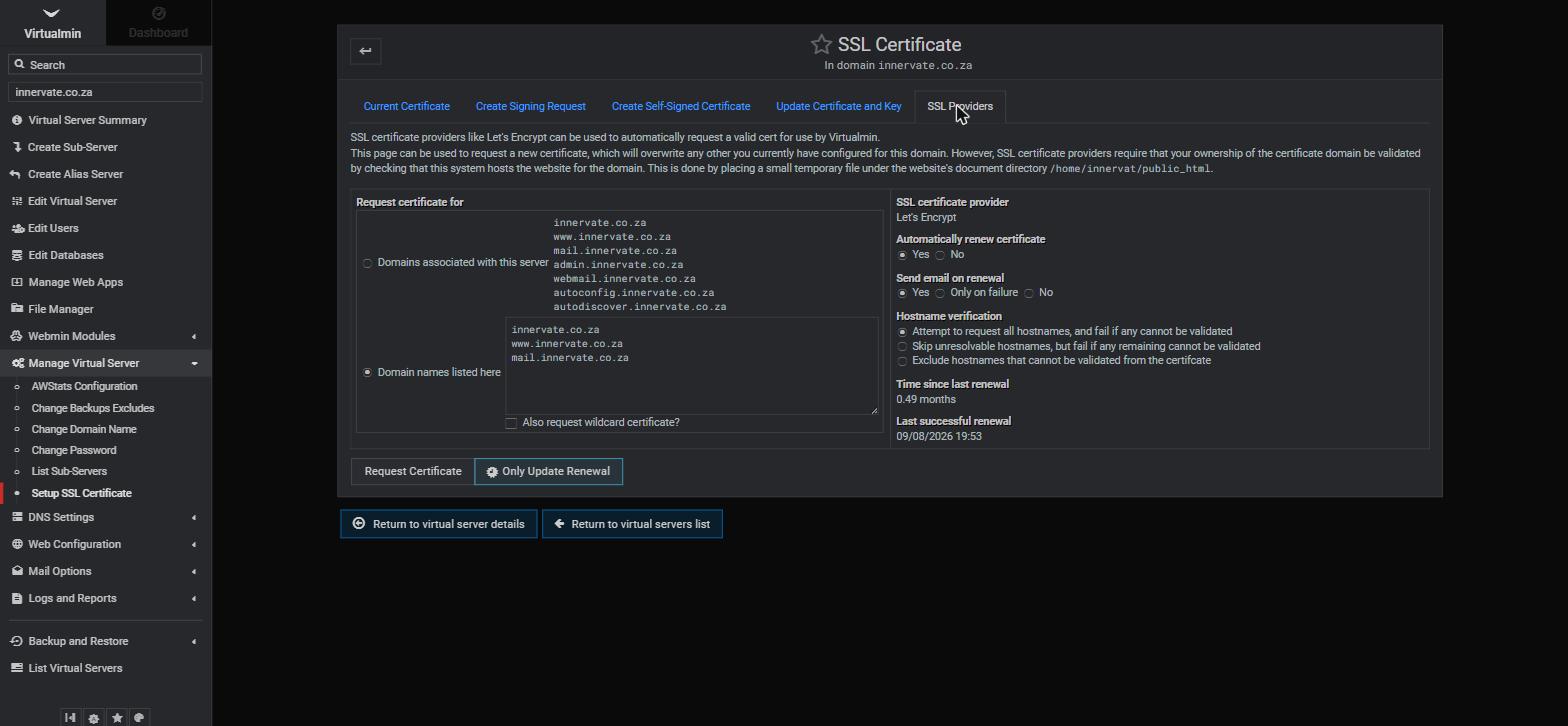
Renewal is automatic — Let's Encrypt certificates last 90 days and Virtualmin renews them in the background (you can see "Automatically renew certificate: Yes" on the SSL Providers tab). If you ever need to request one manually — for example after adding a new sub-domain:
- On the same page, open the SSL Providers tab.
- Under Request certificate for, either accept the suggested list of domains or specify the exact names to cover.
- Make sure Automatically renew certificate is set to Yes.
- Click Request Certificate. Validation happens automatically (Let's Encrypt checks that the domain points at this server) and the new certificate is installed on the spot.
If your site shows "Not secure"
- DNS first: the domain must point at your server before a certificate can be issued. If you've just launched or moved the site, allow up to 24 hours.
- Mixed content: if the padlock shows a warning rather than being absent, some images or scripts load over http:// — update those URLs to https:// (in WordPress, a search-replace plugin handles this).
- Old http links: your site should redirect http:// visitors to https:// — if it doesn't, ask us or your developer to add the redirect.
- Still stuck? Open a support ticket with your domain and we'll sort it out.
Related articles
What are the benefits of SSL certificates for websites? • How to log into Virtualmin