
Applies to: Windows hosting customers on plans that include MS SQL
Webtech's Windows hosting runs Microsoft SQL Server 2019. Creating a database is a two-part job: create the database itself, then create a user that your website connects with. Here's both.
Creating the database
- Log into SolidCP at https://panel.webtech.co.za (see How to log into SolidCP).
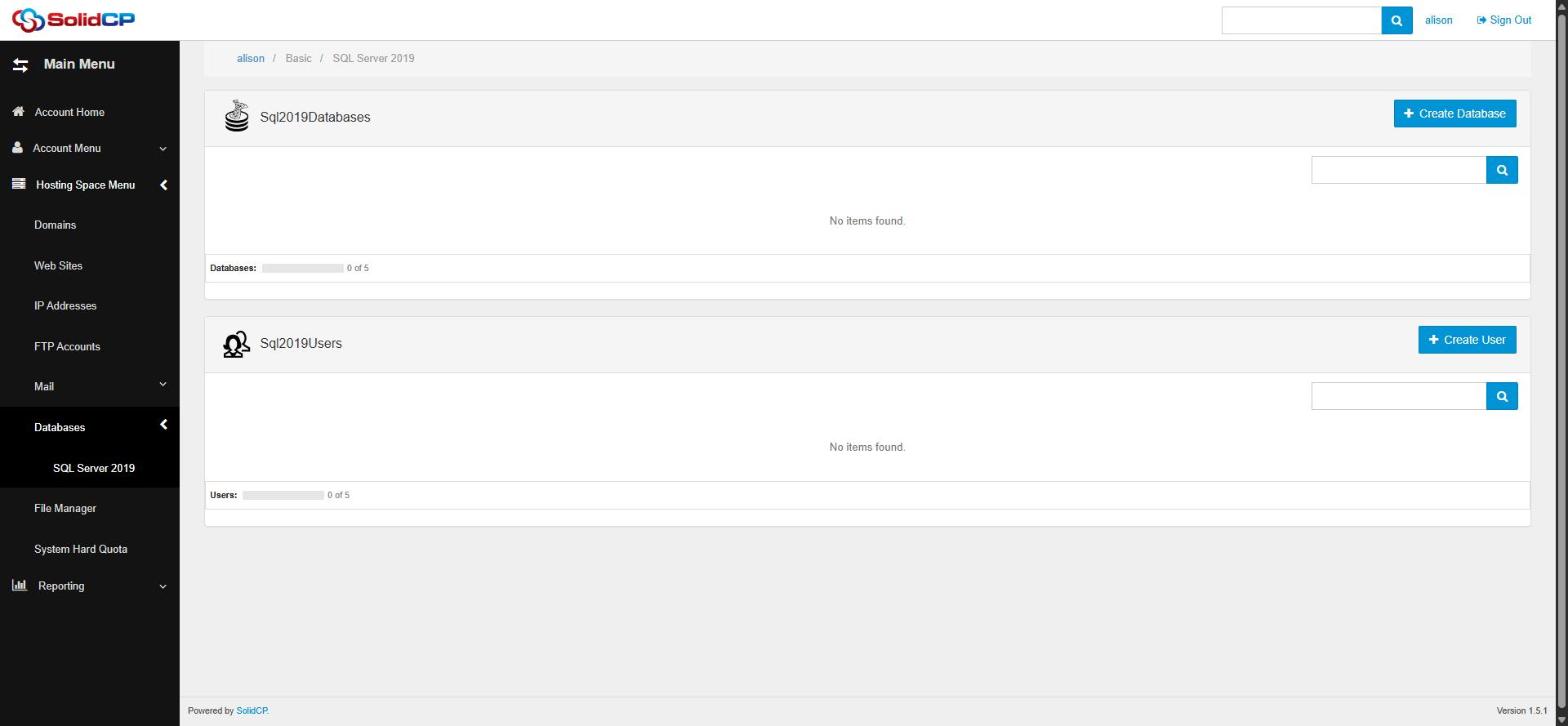
- Go to Databases > SQL Server 2019 — under Databases on the space home page, or in the left sidebar.
- In the Databases section, click Create Database.
- Enter a Database name and click Save. (The panel may prefix the name with your account name to keep it unique on the server.)
Creating the database user
- Back on the SQL Server 2019 page, click Create User in the Users section.
- Enter a username and a strong password (or use Generate Password).
- Grant the user access to your new database by selecting it on the user's page, then Save.
Connecting your website to the database
Your connection string needs four things: the SQL server address (shown on the database's page in SolidCP), the database name, and the username and password you created. A typical ASP.NET connection string looks like:
Server=SQL_SERVER_ADDRESS;Database=YOURDB;User Id=YOURUSER;Password=YOURPASSWORD;
Add it to your application's configuration (e.g. web.config or appsettings.json). If you're unsure of the server address for your plan, open a support ticket and we'll confirm it.
Frequently asked questions
How many databases can I create?
The quota bars on the SQL Server 2019 page show your plan's database and user limits (e.g. 1 of 5).
Can I manage tables and run queries from SolidCP?
SolidCP handles creating databases, users and backups. For working with tables and data, connect with SQL Server Management Studio (SSMS) using your database user credentials, or manage the schema from your application.
Related articles
How to back up and restore an MS SQL database in SolidCP • How to change an MS SQL user password in SolidCP