
Applies to: Windows hosting customers
Creating a mailbox like info@yourdomain.co.za takes a minute in SolidCP. This guide covers creating the account and the options you can set on it — size limit, forwarding, autoresponder and signature.
Creating the mail account
- Log into SolidCP at https://panel.webtech.co.za.
- Go to Mail > Accounts (under POP/IMAP Email on the space home page, or via the left sidebar).
- Click Create Mail Account.
- Fill in the essentials:
- E-mail Address — type the part before the @ and pick your domain from the dropdown.
- Password — enter and confirm a strong password, or click Generate Password. Save it somewhere safe; you'll need it for webmail, Outlook and phones.
- Mailbox Size Limit, MB — how much mail the box can hold (default 1000 MB). Your hosting plan's total disk space is shared between your site and mailboxes.
- Click Save. The mailbox is ready immediately.
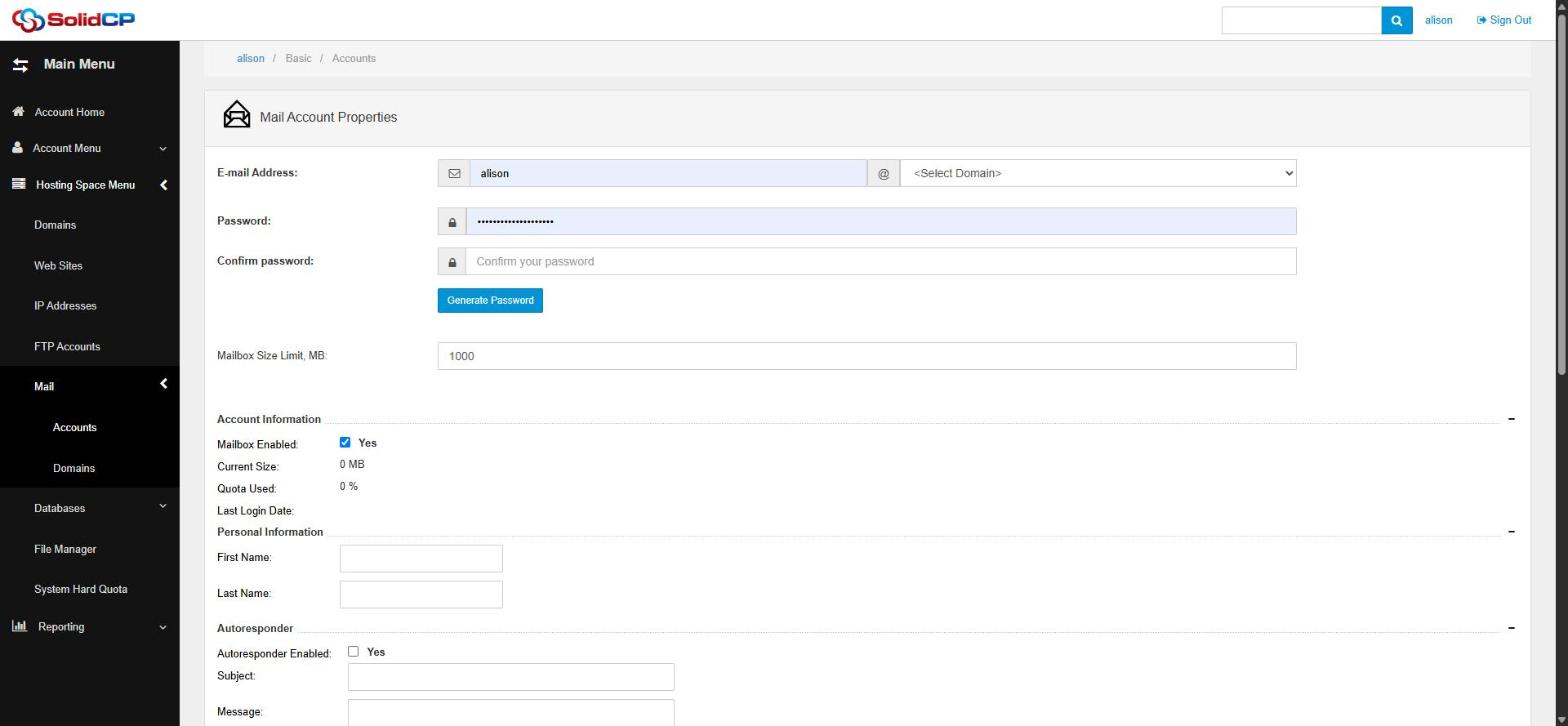
Optional settings on the same page
- Personal Information — first/last name shown for the mailbox.
- Autoresponder — tick Enabled and set a subject and message for automatic replies (out of office); you can set an expiry date so it switches itself off.
- Mail Forwarding — tick Enabled and enter an address to forward incoming mail to; tick Keep original Message if you want a copy kept in this mailbox too.
- Signature — a plain text and/or HTML signature appended to outgoing webmail messages.
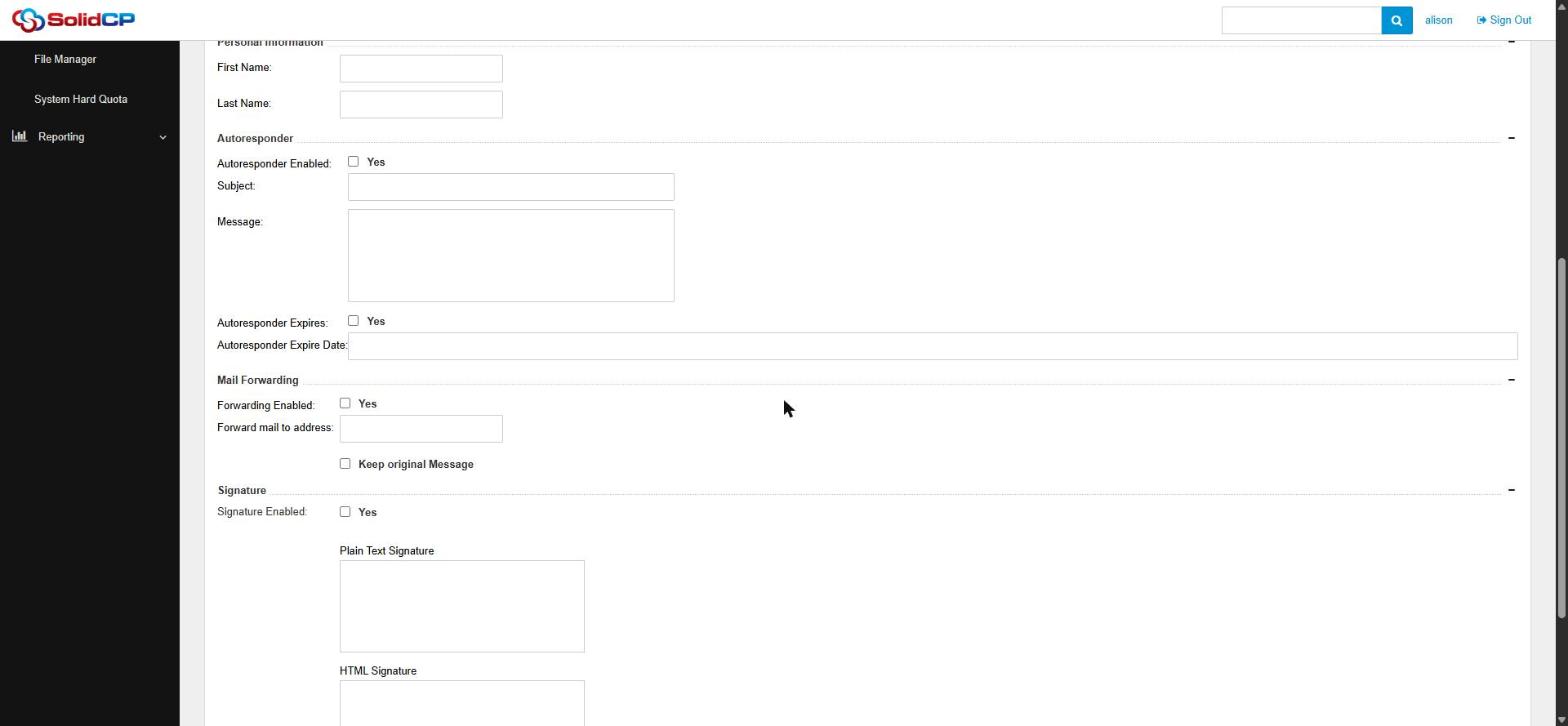
You can come back and change any of these later by clicking the account on the Mail > Accounts page.
Using your new mailbox
Once created, you can read your mail three ways: through webmail in any browser, in a desktop program like Outlook, or on your phone. See How to access webmail (Windows hosting) and How to set up Outlook and your phone (Windows hosting) for the settings.
Frequently asked questions
How many accounts can I create?
Depends on your plan — the quota bar at the bottom of the Mail Accounts page shows your usage (e.g. 3 of 20).
Can I just forward without a mailbox?
Yes — create the account, enable forwarding, and untick Keep original Message. Mail passes straight through to the destination address.
Related articles
How to change your email password in SolidCP • How to set up Outlook and your phone (Windows hosting) • How to access webmail (Windows hosting)