
Applies to: Windows hosting customers on plans that include MS SQL
Your database usually holds the part of your website you can't recreate — orders, users, content. Regular backups are cheap insurance, and SolidCP has the tools built in: every database has Backup and Restore buttons.
Backing up a database
- Log into SolidCP at https://panel.webtech.co.za.
- Go to Databases > SQL Server 2019 and click the database you want to back up.
- Expand the Maintenance Tools section.
- Click Backup.
- Choose where the backup (.bak file) should go — into a folder in your hosting space, or downloaded to your computer as a zip. We recommend downloading a copy so you have one off the server too.
- Run the backup and wait for it to complete. Larger databases take longer.
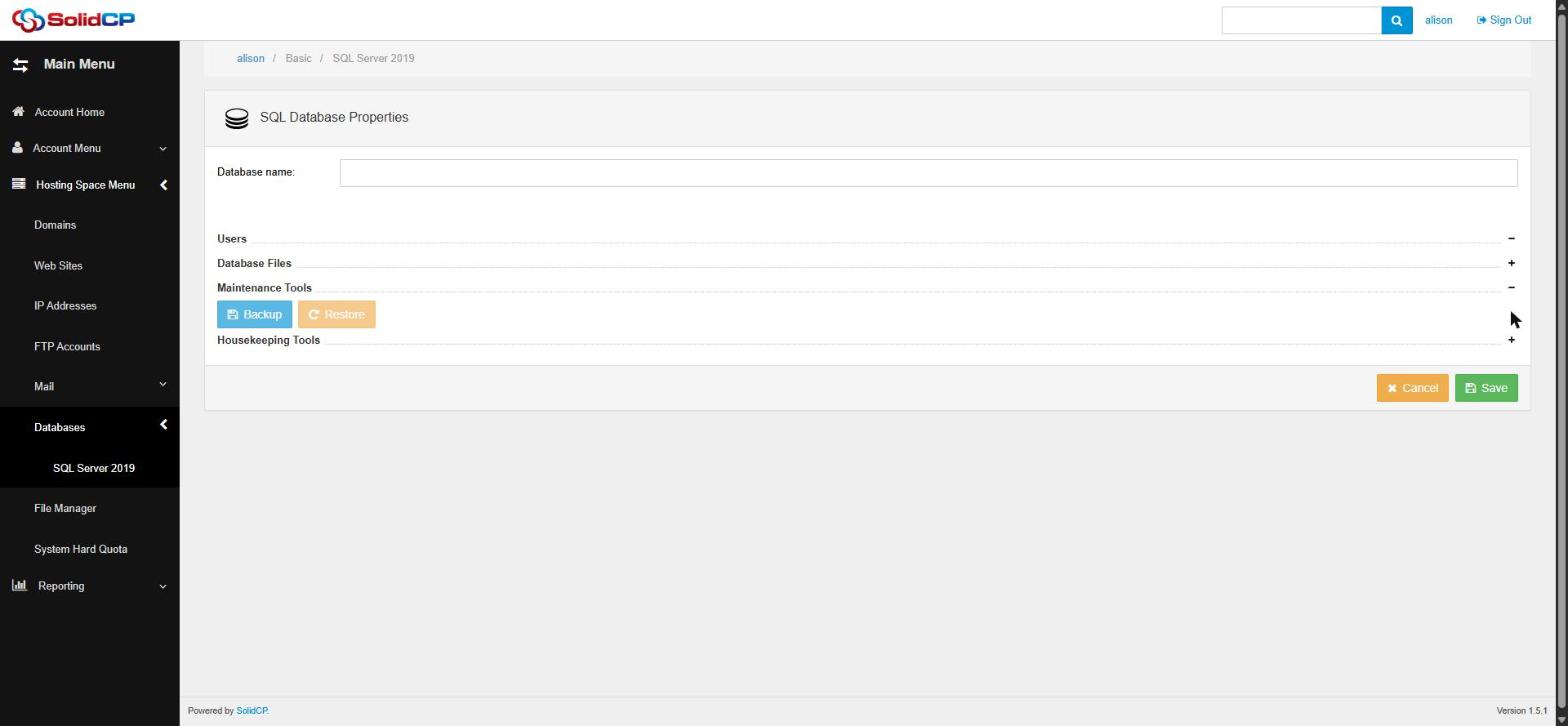
Restoring a database
- Open the database in SolidCP the same way and expand Maintenance Tools.
- Click Restore.
- Pick the backup file — either one stored in your hosting space, or upload the .bak/.zip from your computer.
- Confirm. Restoring overwrites the database's current contents with the backup, so be certain you've selected the right file — anything added since that backup was taken will be lost.
Good backup habits
Back up before every significant change — a software upgrade, a bulk import, a developer handover. Keep more than one backup, and keep at least one copy somewhere other than the hosting space (your computer, cloud storage). Every so often, verify a backup actually restores — a backup you've never tested is a hope, not a plan.
Frequently asked questions
What format is the backup?
A standard SQL Server .bak file (zipped if downloaded). It can be restored here or into any SQL Server 2019-compatible server, so it's also the right way to move a database between hosts.
Does Webtech keep server backups too?
We maintain server-level backups for disaster recovery, but they're not a substitute for your own point-in-time copies before risky changes. Your own backups put you in control of exactly what you can roll back to.
Related articles
How to add an MS SQL database in SolidCP • How to do a full backup of your hosting space