
Applies to: everyone — you don't need an existing Webtech account
Buying a domain through Webtech takes about five minutes. Here's the whole process, from search to ownership.
Step 1: Search for your domain
- Go to our domain registration page.
- Type the name you want into the search box and click Search. The results show whether the name is available in each extension.
- Pick the extension that suits you. For South African businesses, .co.za is the natural choice and also the most affordable; .com gives international reach; alternatives like .org.za, .net and .africa are also available. Current pricing is shown right on the search page.
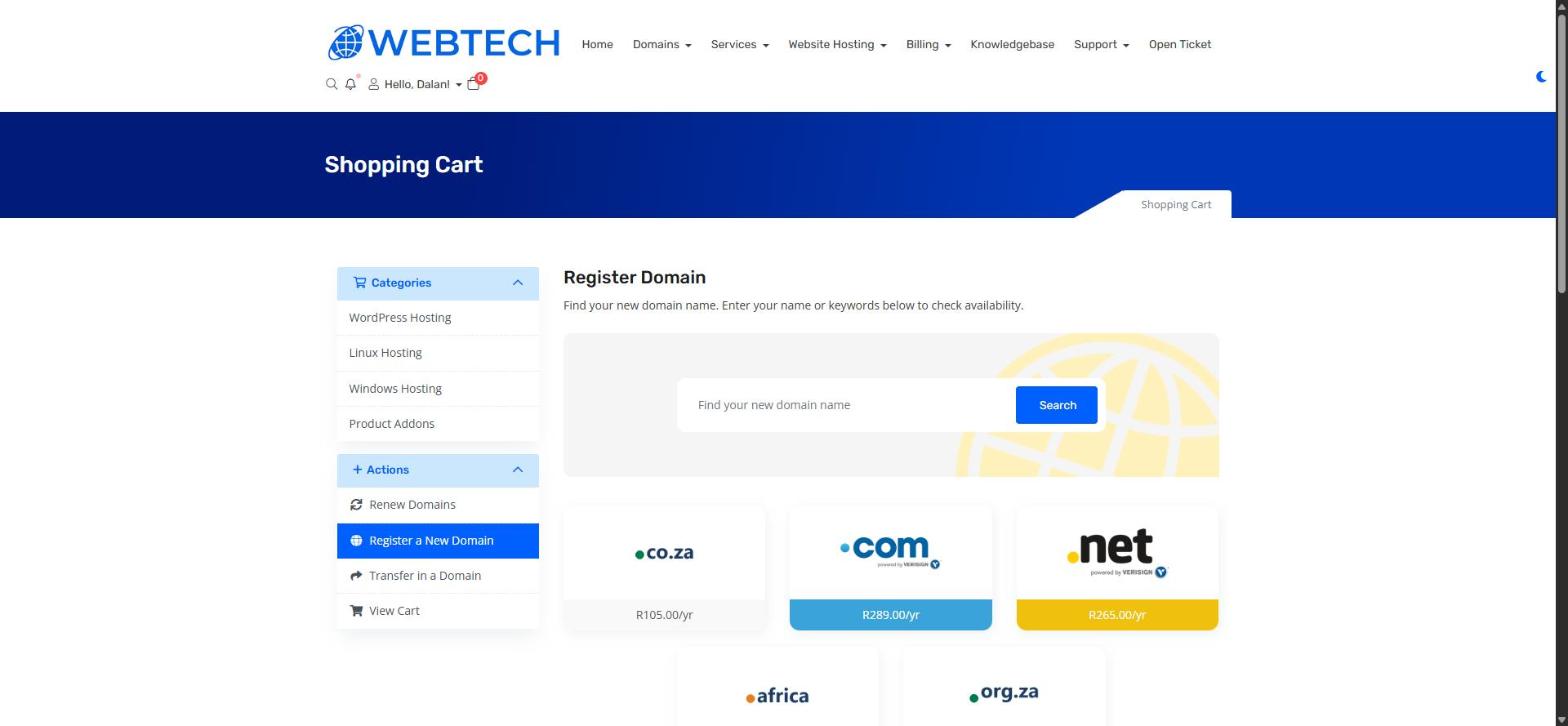
If your first choice is taken, try a variation — a different extension, or a slightly different wording. See Top Tips for Choosing a Great Domain Name for ideas.
Step 2: Add to cart and check out
- Click to add the available domain to your cart.
- You'll be offered optional extras and hosting — add a hosting package now if you want your website and email running on the same order, or register just the domain by itself. A domain on its own is perfectly fine; you can add hosting any time later.
- Review your cart and click through to checkout.
- Log in, or fill in your details to create your account — these become the domain's registered contact details, so use accurate information and a reliable email address.
- Pay by card or Instant EFT via Payfast, or by manual bank transfer (EFT) using the details on your invoice.
Step 3: You're done — what happens next
Once payment reflects, the domain is registered to you automatically — usually within minutes for card and Instant EFT payments. You'll see it under Domains > My Domains in your client area, where you can manage its DNS, nameservers and contact details.
Frequently asked questions
How long do I own the domain for?
Registrations run for one year at a time and renew annually. Keep Auto Renew on so a renewal invoice is generated before expiry — see How to turn domain Auto Renew on or off.
Can I buy a domain before my website is ready?
Absolutely — in fact we recommend it. Registering early secures the name so nobody else can take it while you build.
I already own the domain at another provider — can I move it to Webtech?
Yes. That's a transfer rather than a purchase — see How to Transfer Your Domain to Webtech.
Related articles
How Do I Check if a Domain Name is Available? • Top Tips for Choosing a Great Domain Name • How to Transfer Your Domain to Webtech